
A laptop, two monitors and a desk lamp can look like a substantial electricity bill. Before replacing equipment or buying an energy-saving accessory, put a few numbers on paper. A small worksheet can show which assumptions matter and which changes would make only a minor difference.
Start with equipment at your desk. Heating, air conditioning and the rest of the home belong in a separate calculation. This guide estimates equipment consumption; it does not predict your full bill or establish a tax-deductible expense. The examples are illustrative, with assumed power figures rather than measurements of particular products.
First, separate watts from kilowatt-hours
Watts, written W, describe power at a particular moment. Kilowatt-hours, written kWh, describe energy used over time. Utilities measure electricity consumption in kWh, as the Department of Energy explains.
For equipment operating at an average power level:
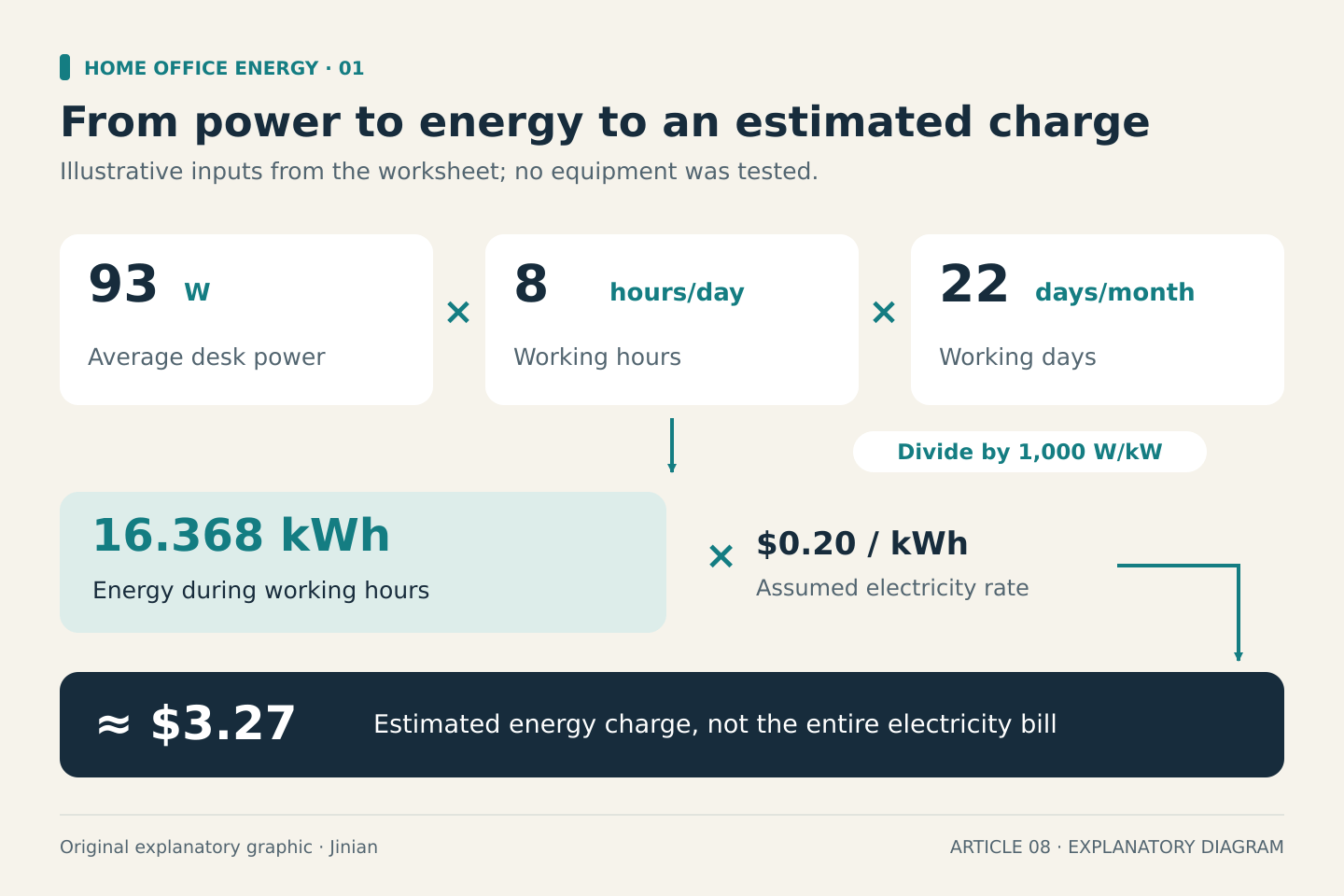
Monthly kWh = average watts × hours per day × days per month ÷ 1,000
Then:
Estimated energy charge = monthly kWh × price per kWh
Use the applicable usage rate from your bill or tariff. A fixed monthly connection charge will not disappear if a monitor uses less electricity. Time-of-use prices, tiered rates, taxes and other charges can make the bill calculation more complicated. Keep those assumptions separate rather than hiding them inside a supposedly precise answer.
Build a short equipment list
Create these columns in a notebook or spreadsheet:
| Equipment or group | Average W | Hours/day | Days/month | Monthly kWh | Rate/kWh | Estimated charge |
|---|---|---|---|---|---|---|
| Laptop and charging dock | ||||||
| External monitors | ||||||
| Desk lamp | ||||||
| Other desk equipment |
Add a note beside every power figure: measured, manufacturer-documented, or assumed. A charger’s maximum output rating is not the laptop’s constant electricity demand. Battery charging, video calls, rendering and idle periods can produce different loads.
Use the manufacturer’s specifications where they describe the relevant operating mode. The ENERGY STAR monitor database is another place to look for documented figures, but check the measurement definitions before comparing products.
If reliable data is unavailable, use a range of assumptions. Do not turn a guess into a “typical” figure without evidence.
Avoid counting the same electricity twice
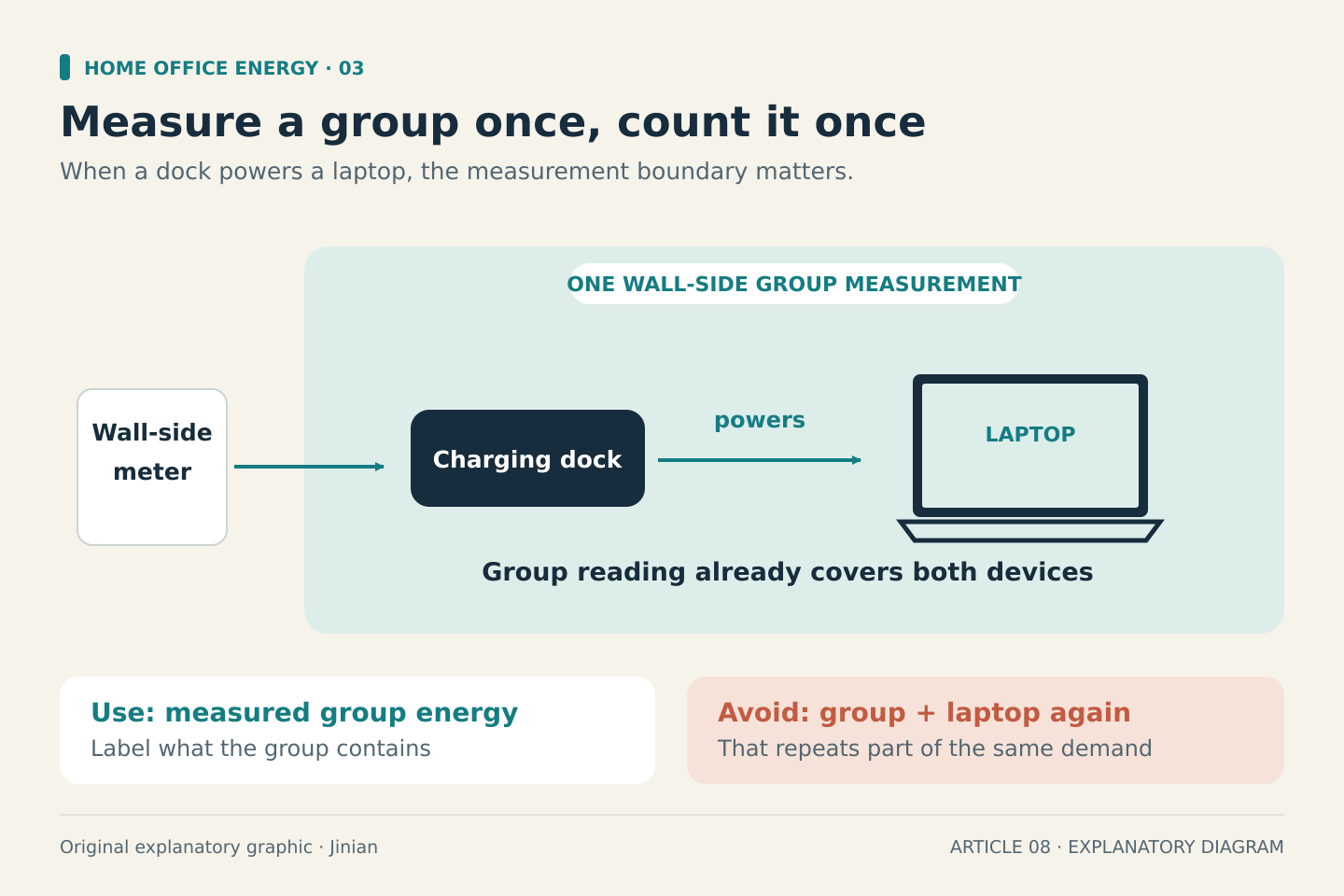
A USB-C monitor or dock may power the laptop. If you have a wall-side measurement covering that whole group, adding a separate laptop estimate would count some energy twice.
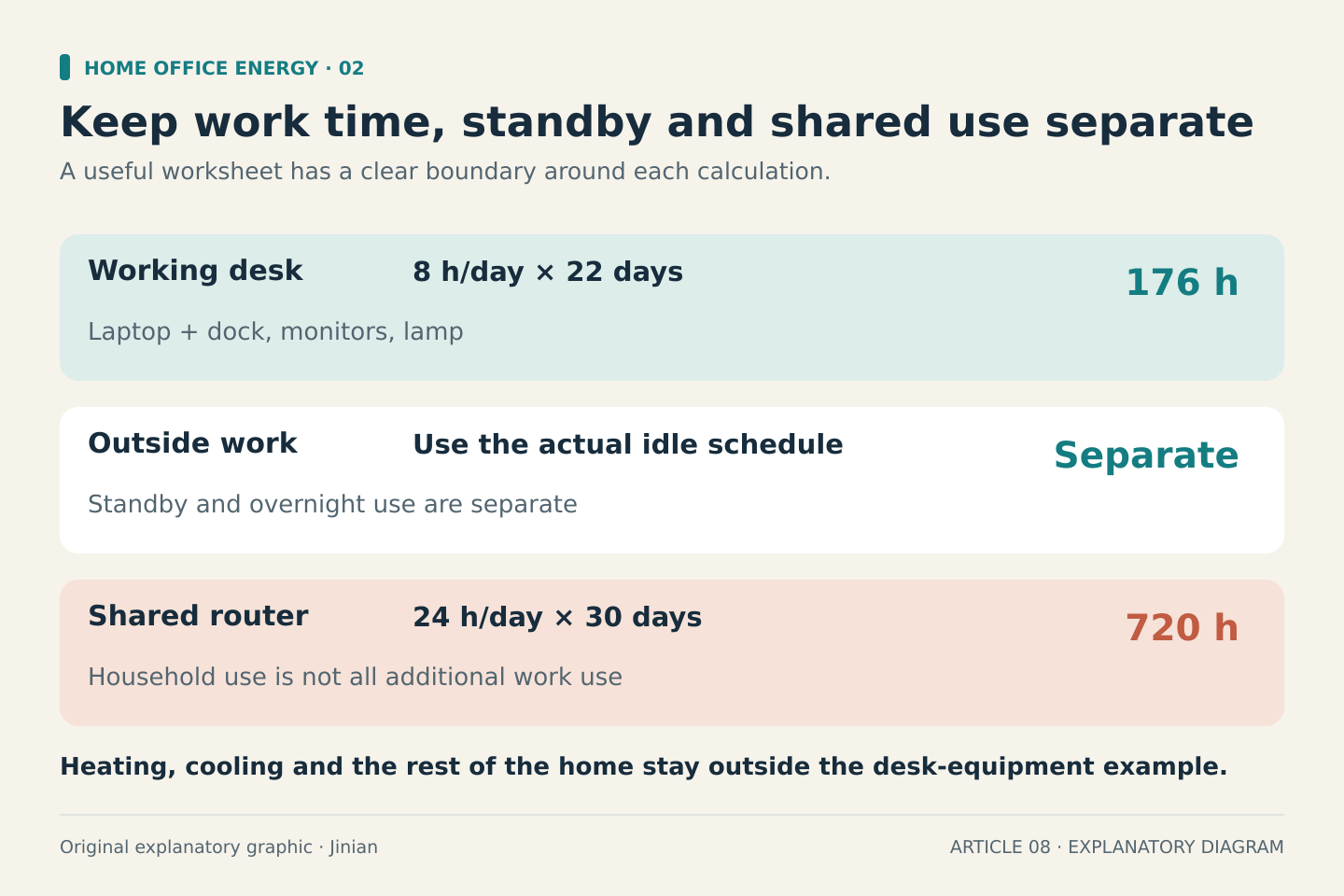
Choose one boundary: either individual wall-powered devices or a measured group. Label it clearly. Treat a shared router separately too. The router’s full monthly use is different from the additional electricity attributable to working from home.
Equipment can also consume energy outside working hours. The Department of Energy’s standby-power guidance explains that apparently switched-off products may still draw power. For varying loads, energy over a period is more informative than a single instantaneous reading.
Worked example: a 22-day working month
Assume eight working hours per day and an illustrative electricity price of $0.20/kWh. None of these power inputs is a product test result.
| Equipment | Assumed average power | Monthly working-hours energy |
|---|---|---|
| Laptop and dock together | 45 W | 7.920 kWh |
| Two monitors together | 40 W | 7.040 kWh |
| Desk lamp | 8 W | 1.408 kWh |
| Total | 93 W | 16.368 kWh |
The calculation is 93 × 8 × 22 ÷ 1,000 = 16.368 kWh. At the assumed rate, the energy charge is approximately $3.27.
That covers the stated equipment during working hours only. It excludes overnight standby, weekends, heating and cooling. For comparison, a separate assumed 10 W router running continuously for 30 days would use 7.2 kWh, costing $1.44 at the same rate. Its household purpose still matters when interpreting that number.
Use a range before making a purchase
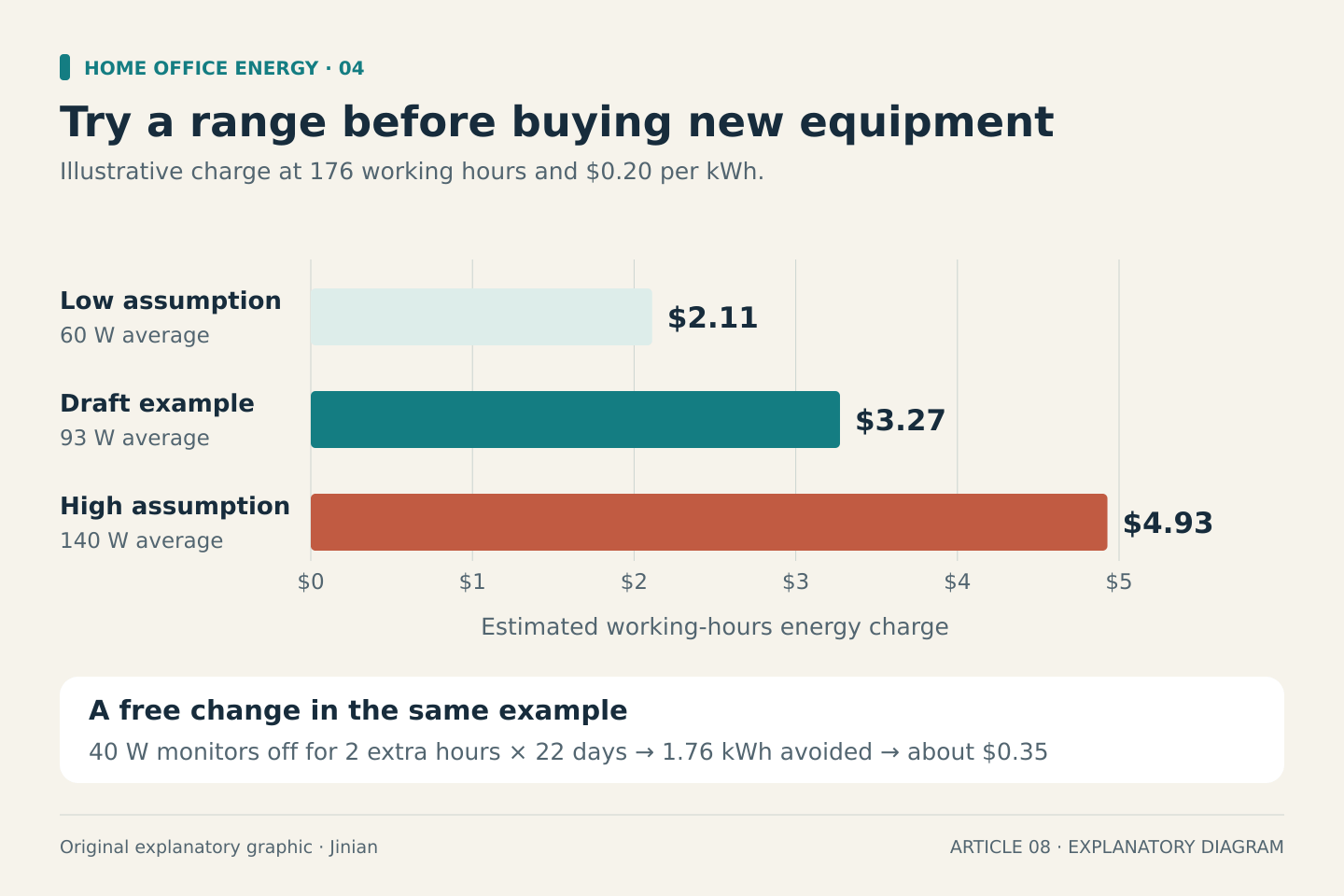
If the desk’s actual average load is uncertain, calculate low and high cases. At 60–140 W for the same 176 working hours, consumption would be 10.56–24.64 kWh. The illustrative energy charge would be $2.11–$4.93.
This range is often more useful than an answer with several decimal places. It tells you whether uncertainty could change your decision.
Small changes can be worthwhile without justifying new hardware. In the worked example, switching off the 40 W monitor pair for two otherwise-active hours each working day would avoid 1.76 kWh, or about $0.35 at the assumed rate. Actual savings depend on what the monitors would otherwise have consumed.
Make the first change free
Check display sleep settings and unnecessary always-on accessories before shopping. The Department of Energy recommends computer power management, while recognizing that some computers must remain available for tasks such as backups.
Before accepting your worksheet, ask:
- Did I use average consumption rather than a charger’s maximum rating?
- Are all hours and days counted consistently?
- Did I separate working, standby and always-on use?
- Did I avoid double-counting laptop charging?
- Is the electricity rate mine, with limitations noted?
Keep the worksheet simple enough to update when your equipment or tariff changes. Its value is a clearer decision, not a promise of a particular electricity bill.
Sources accessed October 1, 2026. Calculations are original illustrative examples; equipment was not physically tested.