
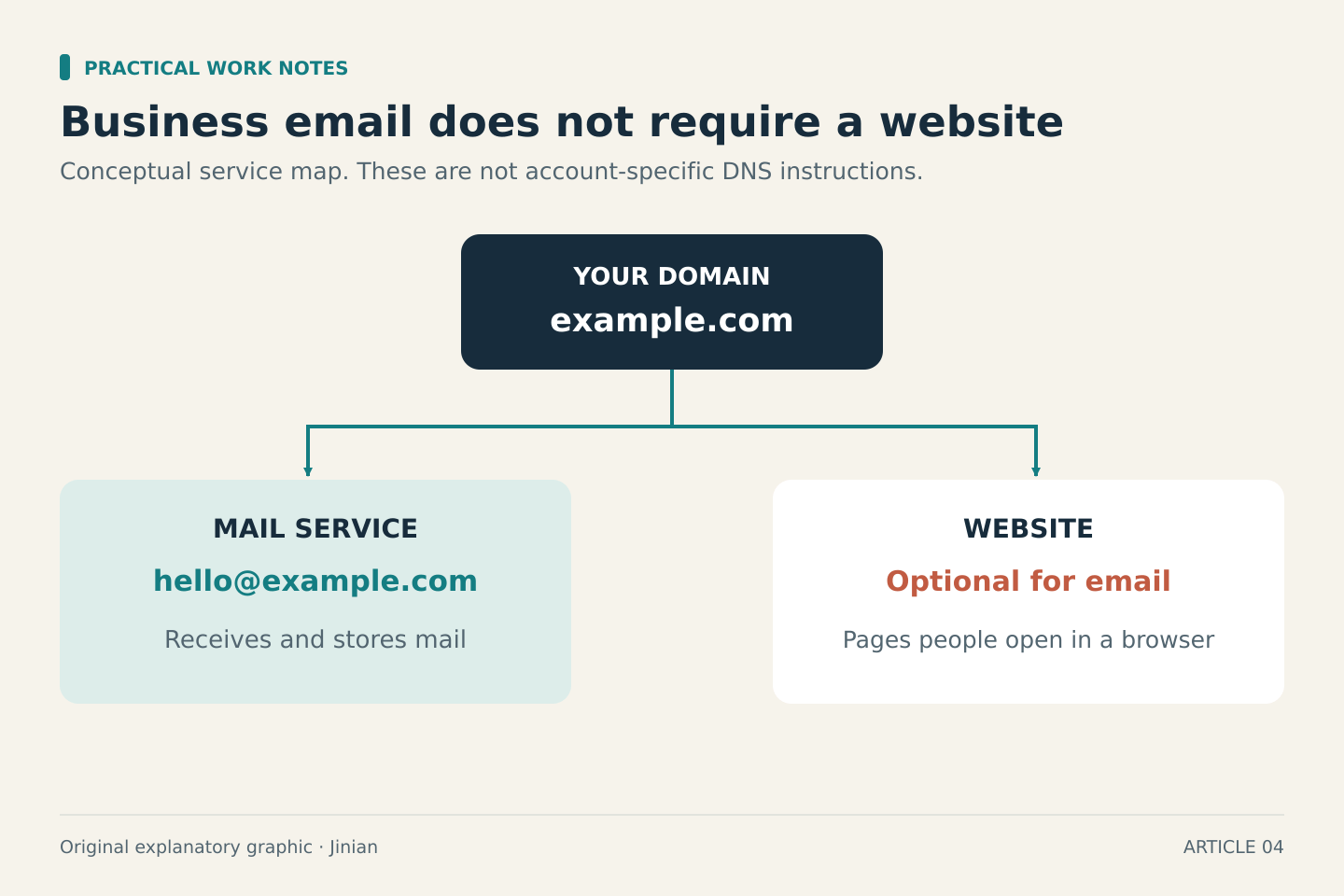
You can use an email address at your own domain without building a website. What you need is control of the domain, a service that handles the mail, and the correct domain settings. A website builder or web-hosting package is a separate purchase.
That distinction can prevent an unnecessary subscription at the start of a freelance business. It also helps when a provider bundles several services under a single “business” plan: first identify which parts you actually need.
Separate the domain, mailbox and website
Think of the domain as the name you control, such as example.com. The mailbox is the service that receives and stores messages sent to an address at that name. The website is the collection of pages people see in a browser.
Zoho’s custom-domain setup documentation describes connecting a domain to its email service and requires access to the domain’s DNS settings. You can follow that model without also commissioning a website. The important question is whether you can prove control of the domain and configure it for the chosen mail provider.
Before paying for anything, write down which of these you already have:
- A registered domain you can manage
- A working mailbox you want to keep or replace
- A website, if one already exists
- Access to the accounts that control those services
They may be supplied by one company or several. Do not cancel a bundle until you know which parts of your current setup depend on it.
A free mailbox does not make the domain free
A provider may offer free email hosting while the domain itself still has a registration and renewal cost. Introductory offers can also bundle a domain for a limited period. Check the renewal price and the service that remains after the offer ends.
For example, Zoho’s current pricing page lists a free plan for one domain, up to five users and 5 GB of mail storage per user. It excludes IMAP, POP and ActiveSync, and the free plan is available only in selected data centers. That makes it a candidate to investigate, not a promise that every new account in every country can get the same setup.
If you need a particular desktop email client or synchronization method, confirm it is supported before choosing a free tier. Discovering the restriction after moving your address is more expensive in time than checking it first.
Do you need an office suite as well?
A solo business may need only mail. Another may need shared documents, video calls, managed storage and a calendar under the same account.
Google Workspace’s business email page presents custom-domain email as part of a wider work suite. Microsoft’s business plan comparison also includes custom business email alongside other applications and services.
Compare those bundles with the work you actually do. A plan can be good value if it replaces services you already pay for. It is unnecessary spending if its useful extras duplicate tools you will continue using anyway.
Do not choose a bundle solely because it contains “AI.” List the specific AI feature you need, the application where it works, and the plan that includes it. A broad feature label is not enough to establish that your task is covered.
Use this cost checklist
For each option, record:
- Domain registration and normal renewal cost
- Mail price per user, including the minimum number of users
- Monthly billing versus an annual commitment
- Storage and supported email applications
- Introductory discount end date
- Taxes or other charges shown for your country
- Export or migration options if you later leave
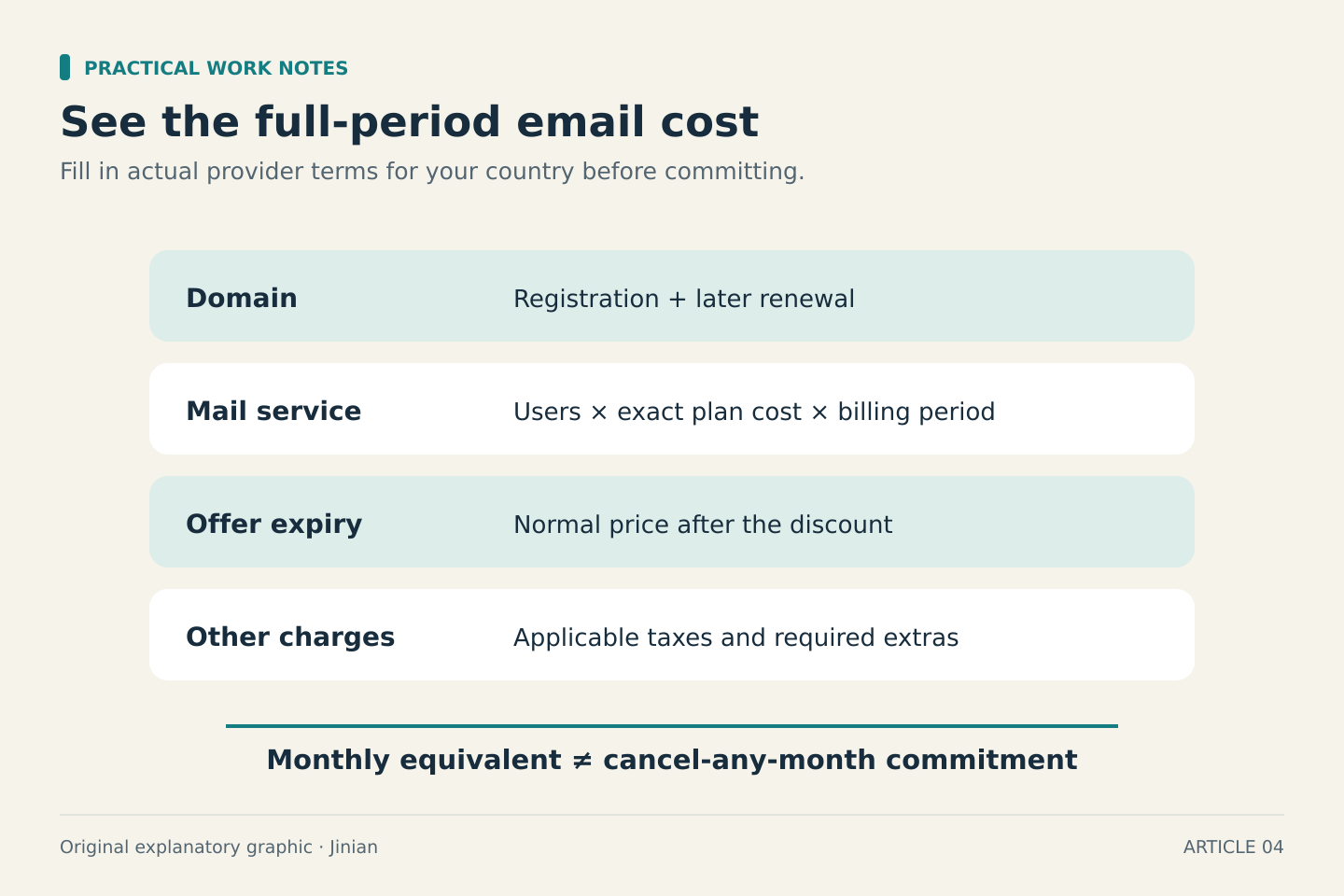
Then calculate the total for the period you expect to keep it. If a provider shows a monthly equivalent for an annual contract, do not treat it as a cancel-any-month price.
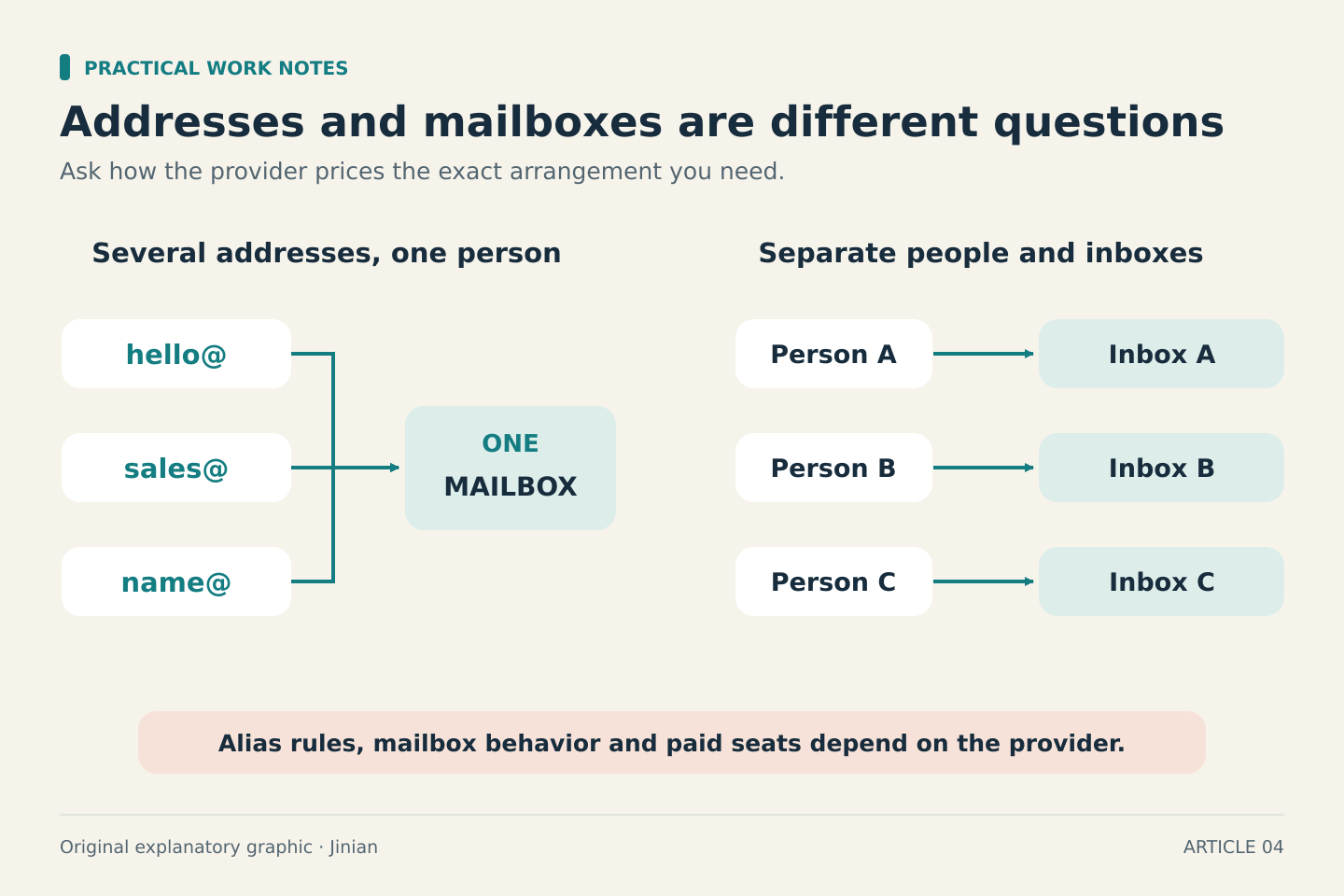
Keep aliases and users separate in your notes. You might want several addresses for one person, or separate inboxes for several people. Ask the provider how it prices the exact arrangement; do not assume every address is a separate paid seat or that unlimited separate inboxes are included.
Plan the change before touching DNS
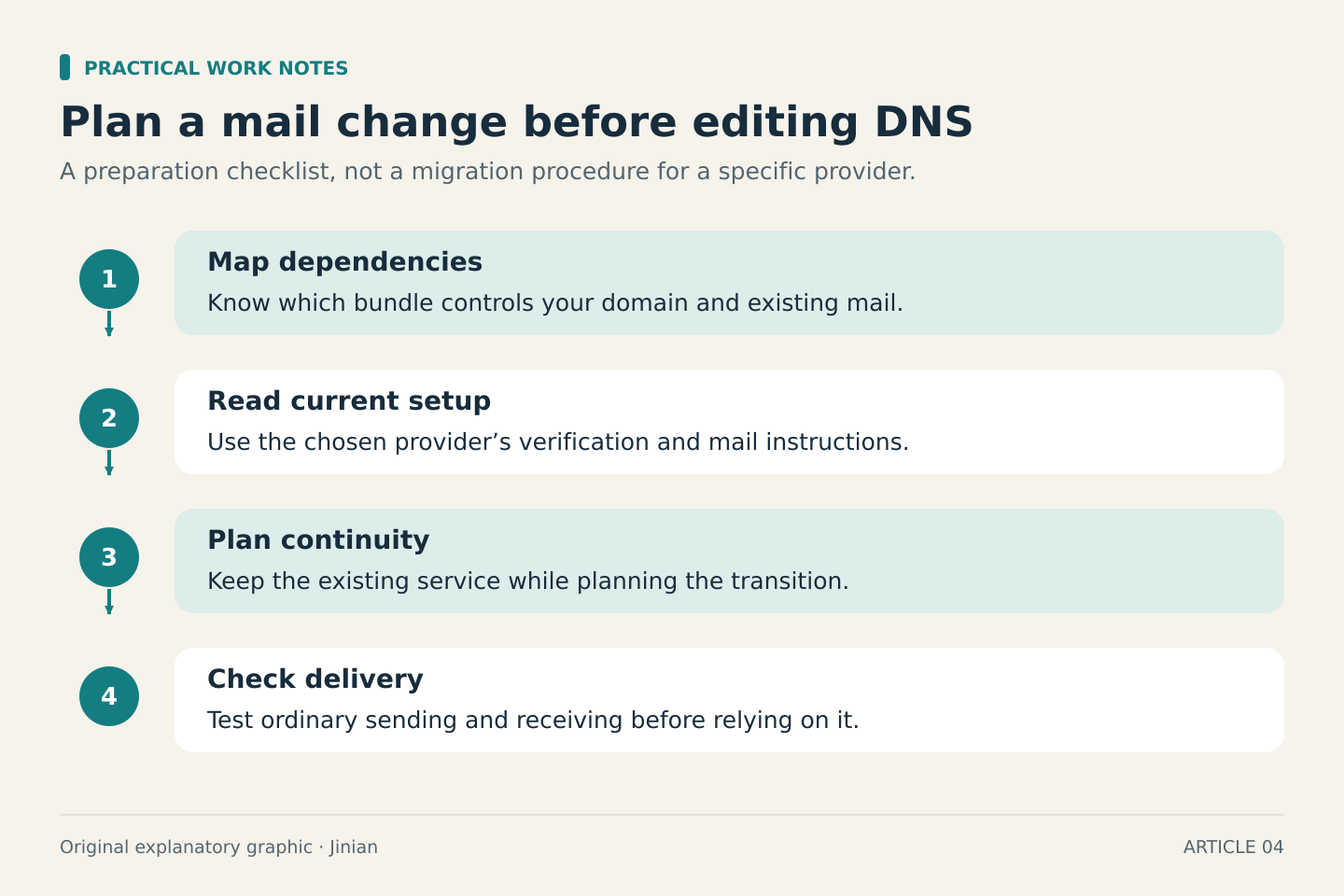
For a new domain with no existing mail, setup is relatively contained. For an existing address, a configuration change can affect delivery. Keep the old service available until you have a migration plan and know what the new provider requires.
Use the provider’s current instructions for verification and mail records rather than copying settings from an unrelated tutorial. The values must match your account and provider. Test sending and receiving ordinary sample messages before relying on the address for important work.
Also decide who will manage renewals and account recovery. A low-cost setup is useful only if you can keep control of the name and mailbox.
The simplest buying decision
If you only need a branded inbox, compare mail-only options first. If you also need a suite of work tools, compare the total bundle against the separate services it would replace. Buy website hosting when you need a website, rather than assuming it is a prerequisite for professional email.